SEO Checklist: 50 Steps to Rank Higher in 2026
Save this SEO checklist to reference when writing your blog posts so you can start ranking on Google and driving organic traffic right away! Whether you're a beginner just starting your blog or a business owner trying to get found on Google, this SEO checklist covers everything you need to rank higher in search results.
As an SEO-based blog writer, I’ve seen a lot of trends come and go, and I also deeply understand the frustration that can come with shifting algorithms. However, while the “rules” of SEO may seem to change almost daily, there are a few things that largely remain the same.
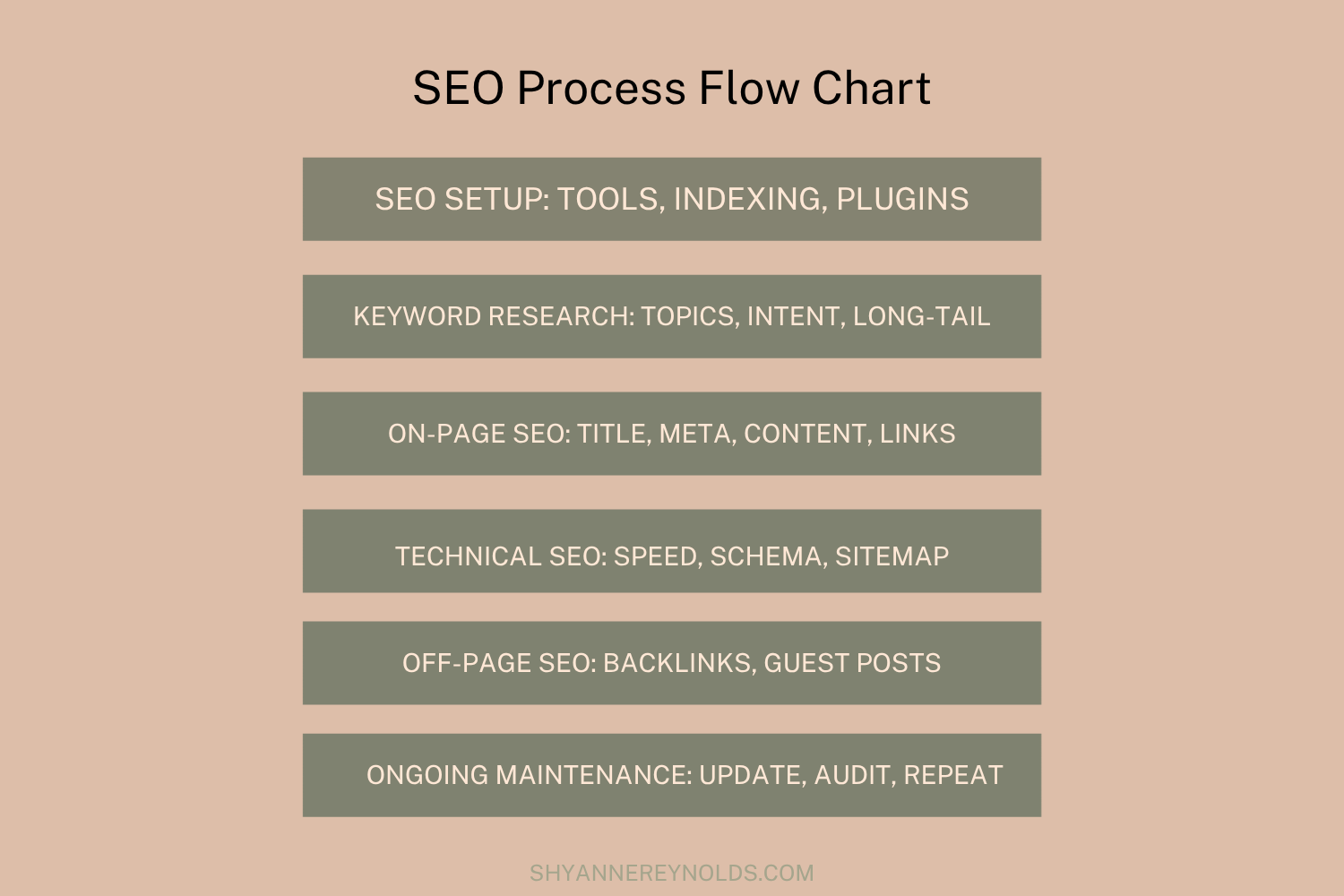
I’ve broken SEO implementation down into six sections that you can easily tackle one at a time to ensure that each page of your site has the best chance of ranking. We’ll cover:
SEO Setup Checklist
Keyword Research Checklist
On-Page SEO Checklist
Technical SEO Checklist
Off-Page SEO Checklist
Local SEO Checklist
Let’s dig in!
SEO Setup Checklist
Before you can rank, you need the right tools in place. These are mostly one-time tasks that lay the foundation for everything else.
1. Set Up Google Search Console
Google Search Console (GSC) is a free tool that shows you which keywords your site ranks for, how many clicks you're getting, and what technical issues Google has found. If you only install one SEO tool, make it this one.
How to set it up:
Add your website as a property
Verify ownership (the easiest method is via your domain registrar or by adding a DNS record)
Submit your sitemap (more on this in the Technical SEO section)
2. Set Up Google Analytics
Google Analytics tells you where your traffic is coming from, which pages are most popular, and how readers are behaving on your site. Use it alongside GSC for a complete picture.
3. Install an SEO Plugin or Tool
If you're on WordPress, install Yoast SEO or Rank Math. Both make it easy to fill out meta titles, meta descriptions, and manage your sitemap without touching code.
On Squarespace or Showit, these fields are built into your page settings. Make sure you're filling them out on every single page and post!
4. Make Sure Your Site Is Indexed
Open Google and type site:yourdomain.com into the search bar. If your pages show up, Google has indexed your site. If nothing shows up, there may be a "noindex" tag blocking crawlers. Check your SEO settings immediately to fix this.
Keyword Research Checklist
Keyword research is the foundation of SEO. Every piece of content you create should target a specific keyword your audience is actually searching for.
5. Brainstorm Core Topics
Start by listing 5-10 broad topics that are central to your blog or business. For a food blog, those might be: weeknight dinners, meal prep, baking tips, gluten-free recipes, and kitchen basics.
These are your "content pillars.” Everything else will branch off from here, creating a cohesive content ecosystem.
6. Find Specific Keywords for Each Topic
Use a keyword research tool to find specific search queries within each topic. SEMRush and Keysearch are my favorites. However, if you’re just getting started, good free options include:
Google Keyword Planner (free, requires a Google Ads account)
Ubersuggest (limited free searches)
AnswerThePublic (great for question-based keywords)
For each topic, aim to find keywords with:
Moderate to decent search volume (at least 100-1,000 searches/month)
Low to medium keyword difficulty (especially important for newer sites)
7. Understand Search Intent
Before targeting a keyword, ask yourself: What does someone searching this term actually want? This understanding of the meaning behind a search is called search intent.
Search intent falls into four categories:
Informational: Readers want to learn something ("how to make sourdough")
Navigational: Readers are looking for a specific site ("NYT cooking")
Commercial: Readers are comparing options ("best stand mixer for home bakers")
Transactional: Readers are ready to buy ("buy KitchenAid mixer")
Your content needs to match the intent. If everyone ranking for your keyword is writing how-to guides, and you write a product review, you'll struggle to rank.
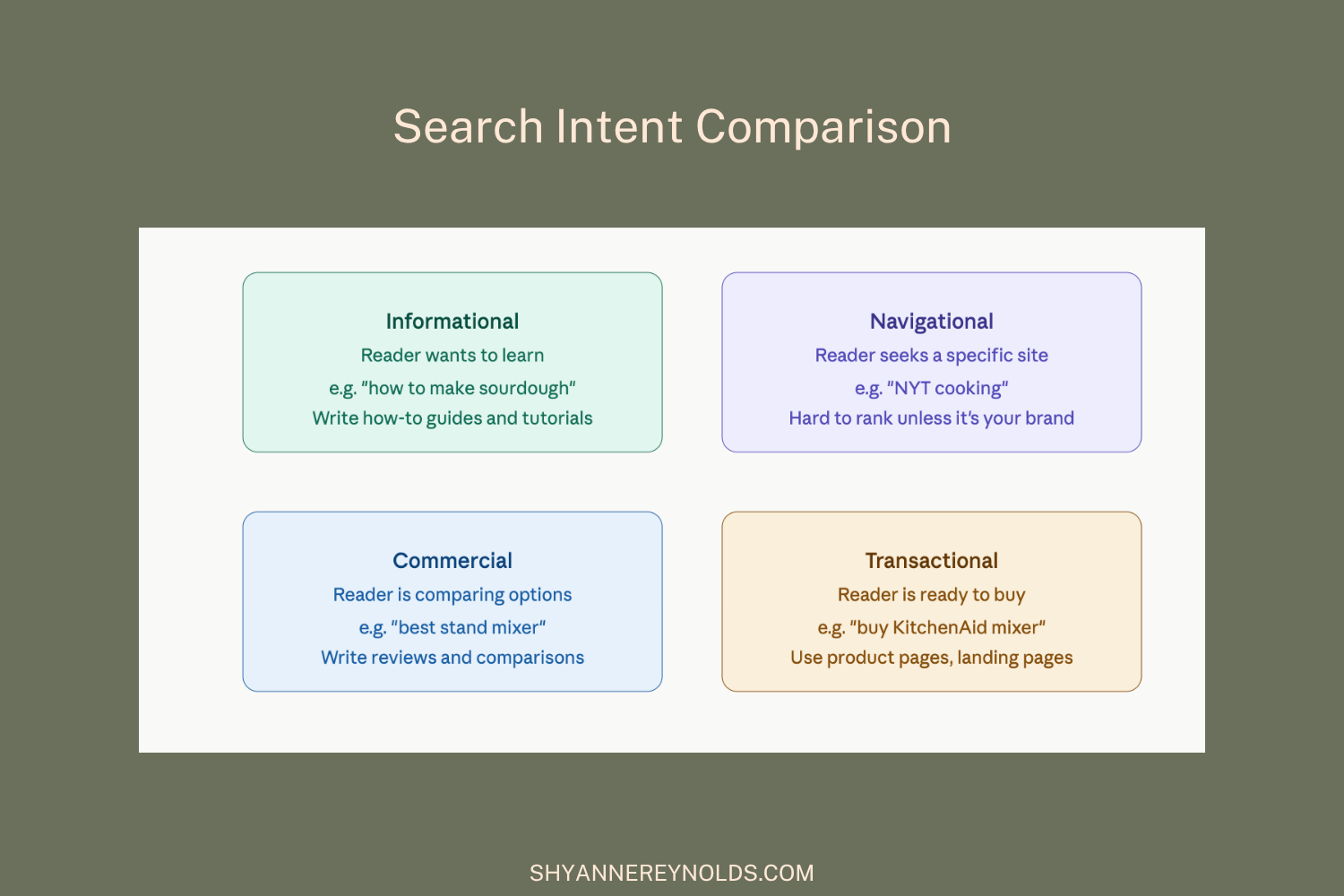
The different types of search intent to consider when writing an SEO-optimized blog post.
8. Check the SERP (Search Engine Results Page) Before You Write
Google the keyword you want to target before you start writing, preferably in incognito mode. Look at:
What types of content rank? (Blog posts, videos, product pages?)
How long are the top-ranking posts?
What subtopics do they cover?
Are there AI Overviews, featured snippets, or People Also Ask boxes?
This tells you exactly what Google thinks searchers want and what your content needs to compete with.
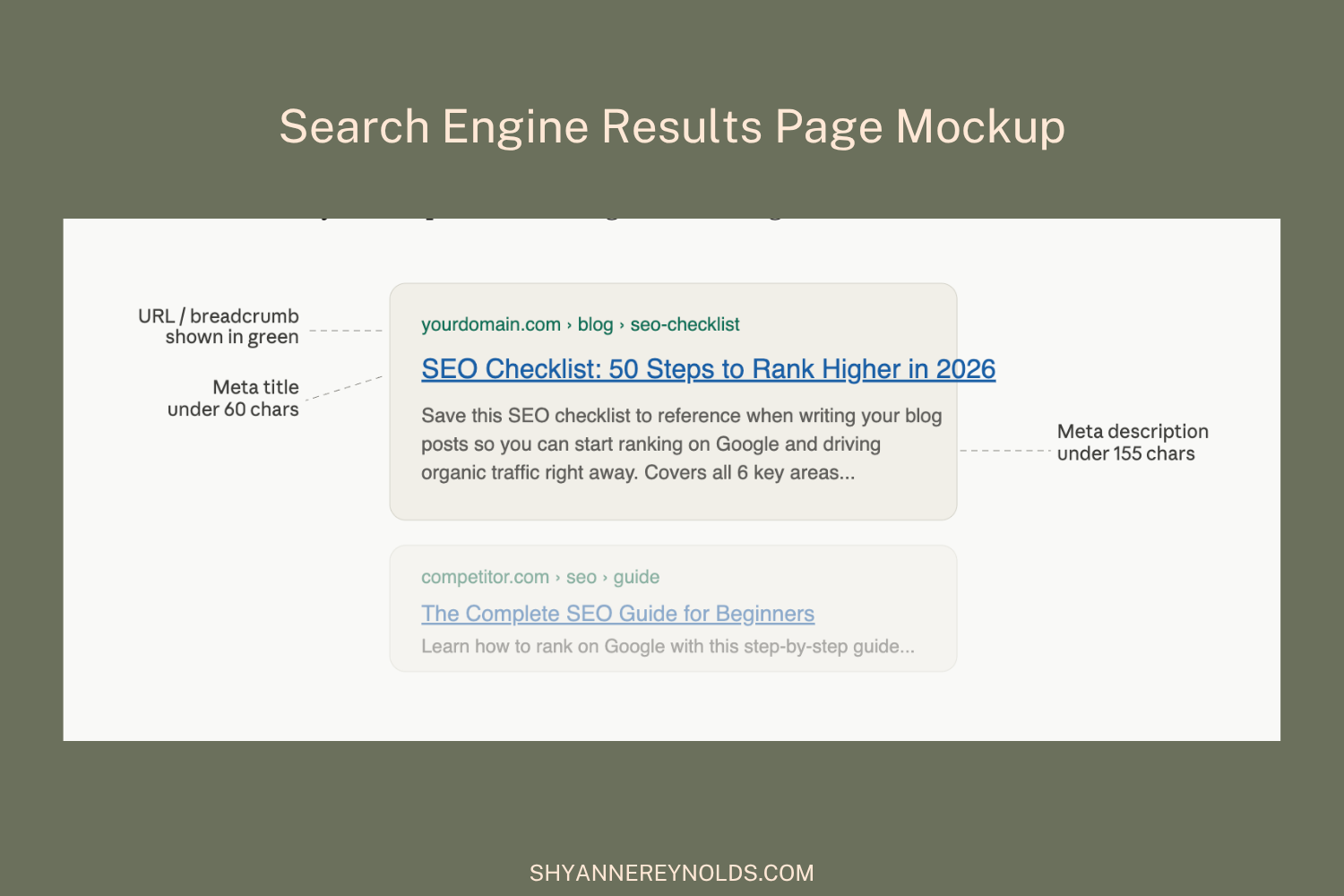
This image shows where different SEO components (URL, meta title, and meta description) show up on a Google search page.
9. Find Long-Tail Keyword Variations
Long-tail keywords are longer, more specific phrases (e.g., "easy weeknight dinners for families with picky eaters"). They usually have lower search volume but also lower competition, and they often convert better because the searcher knows exactly what they want.
Include 3-5 long-tail variations throughout your post in addition to your primary keyword.
10. Check "People Also Ask" and Related Searches
Scroll to the bottom of Google's search results and look at the "Related Searches" section. Also, look at the "People Also Ask" boxes. These tell you exactly what questions your audience has around your topic, and answering them in your content can earn you featured snippets.
On-Page SEO Checklist
On-page SEO is everything you do within a piece of content to help Google understand it and rank it. This checklist applies to every blog post and page you publish.
11. Include Your Primary Keyword in the First 100 Words
Get your primary keyword in early, ideally within the first paragraph or two. This signals to Google (and your reader) what the page is about right from the start.
12. Write an SEO-Optimized Title Tag (H1)
Your H1 is the main headline of your page. It should:
Include your primary keyword (ideally toward the beginning)
Be compelling enough to make people want to read
Clearly describe what the post delivers
Be unique. No two pages on your site should have the same H1!
Example: Instead of "SEO Tips," try "SEO Checklist: 50 Steps to Rank Higher in 2026."
*Just make sure to keep your title relevant, and avoid numbers in your URL as they’re likely to change as you update the post.
13. Optimize Your Meta Title
Your meta title is what shows up as the blue clickable link in Google's search results. It's different from your H1 (though they can be similar). For the best results, keep your meta title:
Under 60 characters, so it doesn't get cut off
Keyword-rich but natural
Enticing enough to earn a click
14. Write a Compelling Meta Description
The meta description shows up as the gray text beneath your title in search results. It doesn't directly impact rankings, but it heavily impacts click-through rate. Write it like a mini ad for your post:
Keep it under 155-160 characters
Include your primary keyword naturally
Use an action word ("Learn," "Discover," "Get," "Find out")
Make a clear promise about what the reader will get
15. Use a Keyword-Rich, Clean URL
Your URL slug should be short, descriptive, and include your primary keyword. Keep it lowercase and use hyphens to separate words.
✅ yourdomain.com/blog/seo-checklist
❌ yourdomain.com/blog/a-complete-seo-checklist-for-beginners
Avoid dates in blog post URLs unless the content is explicitly date-dependent. They make URLs look stale and harder to update.
16. Use a Logical Heading Structure (H2s and H3s)
Headings help both readers and Google understand the structure of your content. Follow this hierarchy:
H1: Your main title (only one per page)
H2: Main sections of your post
H3: Subsections within an H2
H4: Further breakdown if needed
Include your primary keyword and related keywords naturally in your H2s and H3s. Don't keyword-stuff, but don't avoid them either.
17. Write Comprehensive Content That Covers the Topic Fully
There’s no definitive answer for how long a blog post should be for SEO. However, thin content (a few hundred words with surface-level coverage) rarely ranks for competitive keywords. Look at the top 3-5 results for your target keyword and ask: Am I covering everything they cover, plus more?
Great content:
Answers the question completely
Anticipates follow-up questions
Includes specific, actionable steps
Is accurate and well-researched
Is written for humans first, search engines second
18. Use Internal Links Strategically
Internal links connect your content together, help Google crawl your site, and keep readers on your site longer. For every post you publish:
Link to 3-5 relevant posts or pages on your own site
Use descriptive anchor text (not "click here,” use the actual topic)
Go back to older posts and add links to newer related content
19. Add External Links to Authoritative Sources
Linking out to reputable, relevant sources (studies, tools, official resources) shows Google your content is well-researched. Don't be afraid of external links. Just make sure they open in a new tab so readers don't leave your site entirely.
20. Optimize Your Images
Every image you publish is an SEO opportunity most people miss. Make sure to include:
File name: Rename image files before uploading. Use descriptive, keyword-relevant names. chocolate-chip-cookie-recipe.jpg beats IMG_4892.jpg.
Alt text: Write a description of the image in 100 characters or fewer. Include your keyword where it fits naturally. Always end with a period.
File size: Compress images before uploading. Large images slow your site down, which hurts rankings. Use tools like TinyPNG or Squoosh.
File format: Use WebP when possible. It's smaller than JPEG or PNG with the same visual quality.
21. Include Multimedia (Images, Videos, Embeds)
Posts with multiple types of media perform better in search results because they increase time on page and improve user experience. Aim for at least one image or visual element every 300-500 words. Where relevant, embed:
Step-by-step instructional images
Infographics
YouTube videos
Social media posts
22. Add an FAQ Section
FAQ sections are one of the most effective ways to win featured snippets and appear in "People Also Ask" boxes. Include 3-5 questions your audience is likely to Google related to your topic. Keep answers concise (2-4 sentences each) and use your keyword naturally.
23. Check for Keyword Cannibalization
Keyword cannibalization happens when multiple pages on your site target the same keyword, and they compete with each other in search results, which dilutes your ranking power. Make sure each post targets a distinct primary keyword.
Technical SEO Checklist
Technical SEO covers the behind-the-scenes stuff that helps Google crawl, index, and understand your site. You don't need to be a developer to handle most of this.
24. Make Sure Your Site Uses HTTPS
Look at your website URL. Does it start with https://? If it starts with http:// (no "s"), your site isn't secure, and Google flags it as such. Most hosting providers include free SSL certificates. Check your settings and enable SSL if you haven't already.
25. Make Sure Your Site Is Mobile-Friendly
Google uses mobile-first indexing, meaning it looks at the mobile version of your site first when ranking it. Test your site at search.google.com/test/mobile-friendly. If it fails, talk to your web host or designer about fixing the layout.
26. Improve Your Page Speed
Slow pages rank lower and lose visitors. Use Google's free PageSpeed Insights tool (pagespeed.web.dev) to see how your site scores. Common speed fixes include:
Compressing images
Enabling caching
Removing unnecessary plugins or scripts
Using a CDN (Content Delivery Network)
27. Fix Broken Links
Broken links (links that lead to a 404 error page) hurt user experience and waste crawl budget. Use a free tool like Broken Link Checker or run a site audit in Ahrefs or Semrush to find and fix them.
28. Create and Submit an XML Sitemap
A sitemap is a file that lists all the important pages on your site so Google can find them. Most SEO plugins generate this automatically. Once it's created:
Find your sitemap URL (usually yourdomain.com/sitemap.xml)
Go to Google Search Console → Sitemaps
Submit your sitemap URL
29. Set Up and Check Your robots.txt File
The robots.txt file tells search engine crawlers which pages to crawl and which to ignore. Access it at yourdomain.com/robots.txt. Make sure you haven't accidentally blocked important pages. If anything looks off, consult your SEO plugin's documentation.
30. Fix Redirect Issues
Make sure to use proper redirects when moving pages to improve user experience and SEO.
301 redirects: Permanent redirects that pass SEO value. Use these when you move or rename pages
302 redirects: Temporary redirects that don't pass full SEO value. Avoid using these unless the redirect truly is temporary
Redirect chains: Multiple redirects in a row (A → B → C) slow your site and dilute link equity. Fix them so A goes directly to C.
Redirect loops: A page that redirects to itself. These break trust and must be fixed immediately
31. Resolve Duplicate Content Issues
Duplicate content confuses Google and splits ranking signals between pages. Common causes include:
WWW vs. non-WWW versions of your site (set a canonical version)
HTTP and HTTPS versions both being accessible
Printer-friendly or paginated versions of pages
Syndicated content published elsewhere
Use canonical tags (<link rel="canonical" href="...">) to tell Google which version of a page is the "original" when duplicates exist.
32. Add Schema Markup (Structured Data)
Schema markup is code you add to your pages that helps Google understand your content and display it more richly in search results. For bloggers, the most useful schema types include:
Article (for blog posts)
Recipe (for recipe posts: eligible for rich results with ratings, cook time, and photos)
FAQ (for pages with question-and-answer sections)
HowTo (for step-by-step instructional content)
If you're on WordPress, Yoast SEO and Rank Math add schema automatically. Use Google's Rich Results Test tool to verify it's working correctly.
33. Check Your Core Web Vitals
Core Web Vitals are Google's page experience signals. They measure:
LCP (Largest Contentful Paint): How quickly the main content loads. Aim for under 2.5 seconds
INP (Interaction to Next Paint): How quickly the page responds to user interactions
CLS (Cumulative Layout Shift): How much the page layout shifts while loading. Aim for a score under 0.1
Check your scores in Google Search Console under "Core Web Vitals" or in PageSpeed Insights.
34. Make Sure Important Pages Aren't Orphaned
Orphaned pages are pages with no internal links pointing to them. Google may have trouble finding and indexing them. Use a site audit tool to find orphaned pages and link to them from at least one relevant post.
Off-Page SEO Checklist
Off-page SEO refers to actions taken outside your website that impact your rankings, primarily building authority through backlinks.
35. Understand Why Backlinks Matter
Backlinks (links from other websites to yours) are one of Google's most important ranking signals. They work like votes of confidence. The more authoritative sites linking to you, the more Google trusts your content. One quality backlink from a reputable site is worth far more than dozens of links from low-quality sources.
36. Create Link-Worthy Content
The best backlinks come naturally when you publish content worth linking to. This includes:
Original research, surveys, or data
Comprehensive, definitive guides on a topic
Free tools, templates, or resources
Unique opinions or perspectives from personal experience
37. Guest Post on Relevant Sites
Writing guest posts for reputable blogs and websites in your niche is one of the most reliable white-hat link-building strategies. Aim for sites that:
Are relevant to your niche
Have real audiences (not just link farms)
Allow a natural link back to your site in the author bio or body content
38. Build Relationships with Other Creators
Engage genuinely with other bloggers and content creators in your space. Comment on their posts, share their work, and collaborate on content. Natural relationships often lead to natural links.
39. Get Listed in Relevant Directories and Round-Ups
Look for reputable directories and curated resource lists in your niche. Being included in a "best food blogs" round-up or a recipe resource directory can generate real traffic and quality backlinks.
40. Monitor Your Backlink Profile
Use a free tool like Ahrefs Backlink Checker or Semrush to periodically review who's linking to your site. Look for:
New links you can build relationships around
Spammy or toxic links that could hurt your rankings (disavow these in Google Search Console if needed)
41. Promote Your Content on Social Media
While social shares aren't a direct ranking factor, promoting your content increases visibility, which leads to more people finding and linking to it. Share new posts across your platforms and repurpose content (especially for Pinterest, which drives significant traffic for bloggers).
Local SEO Checklist
If you have a local business, service area, or want to be found by people in a specific location, these steps are essential.
42. Set Up and Optimize Your Google Business Profile
A Google Business Profile (formerly Google My Business) is what makes your business show up in Google Maps and the local "pack" (the map + listings that appear at the top of local search results). Claim your profile at business.google.com and fully fill it out:
Business name, address, and phone number (NAP)
Business hours
Website link
Photos
Business category
43. Keep Your NAP Consistent Everywhere
Your business Name, Address, and Phone number (NAP) should be identical across your website, Google Business Profile, Yelp, Facebook, and any other directories. Inconsistencies can confuse Google and hurt local rankings.
44. Earn and Respond to Google Reviews
Reviews are a significant local ranking factor. Ask satisfied customers or readers to leave a Google review. Always respond to reviews, both positive and negative, professionally and promptly.
45. Create Location-Specific Content
If you serve multiple locations, create dedicated pages or blog posts targeting location-based keywords ("best gluten-free bakeries in Austin," "meal prep tips for busy Denver families"). Don't create thin, duplicate pages. Each location page should have unique, valuable content!
Ongoing SEO Maintenance Checklist
SEO isn't a one-time task. Here's what to do on a recurring basis to maintain and improve your rankings:
46. Update Old Content Regularly
Google favors fresh, up-to-date content. Revisit older posts at least once a year and:
Update any outdated information or statistics
Add new sections covering topics you missed
Refresh the meta title and description
Add internal links to newer related posts
47. Monitor Rankings in Google Search Console
Check GSC monthly to see which keywords you're ranking for, which pages are getting impressions, and where you're losing ground. Look for queries where you're ranking on page 2 (positions 11-20). A targeted update to those posts can often push them to page 1.
48. Track Your Core Web Vitals
Core Web Vitals can change over time as you add new plugins, images, or design elements. Check them quarterly in GSC and address any new issues that arise.
49. Audit for New Broken Links
As you publish more content and third-party sites change, new broken links will appear. Run a link audit every 3-6 months.
50. Repeat Keyword Research Periodically
Search trends shift. Keywords that were highly competitive 6 months ago may have opened up. New keywords your audience is searching for may have emerged. Revisit your keyword strategy at least twice a year, and adjust your strategy as needed.
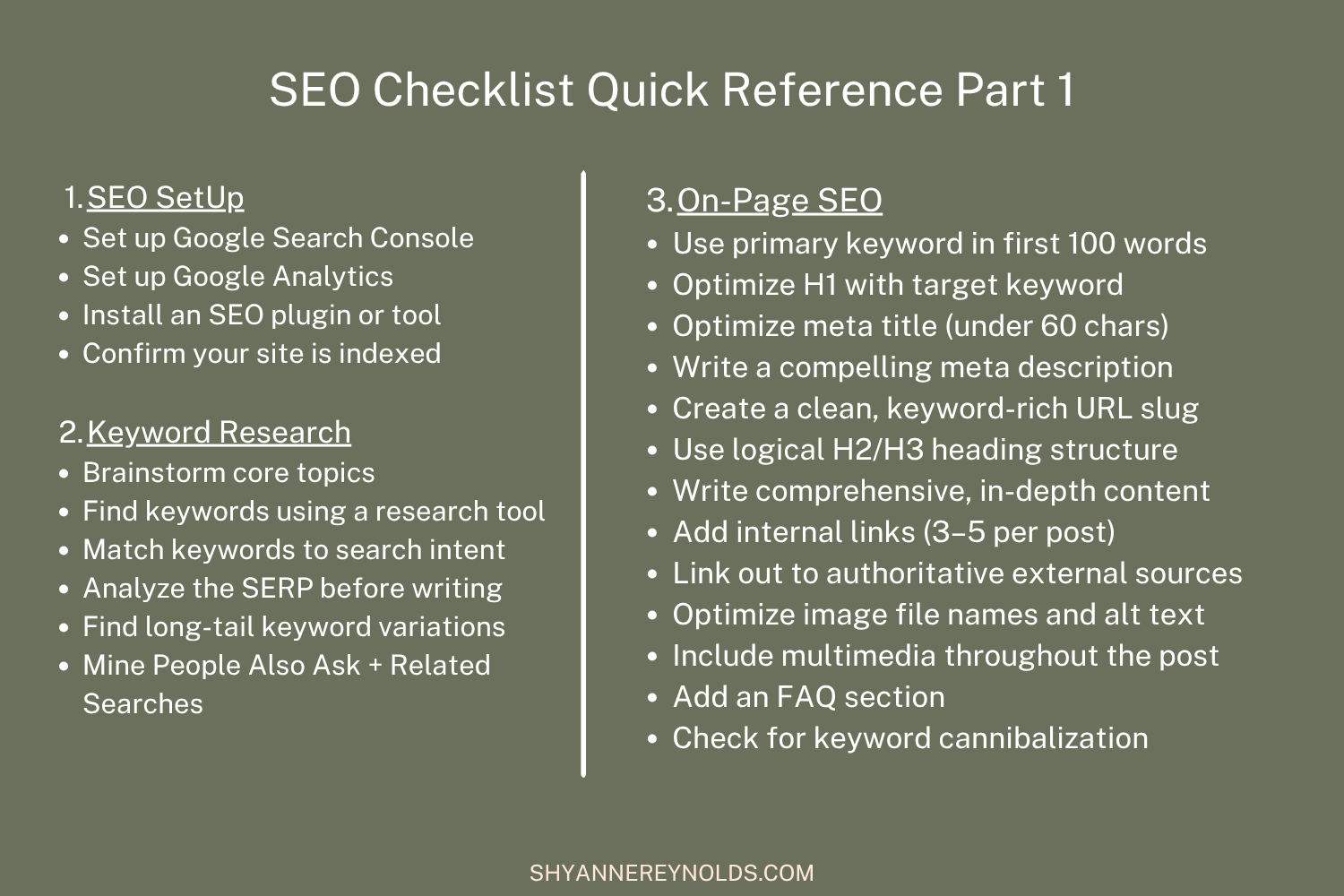
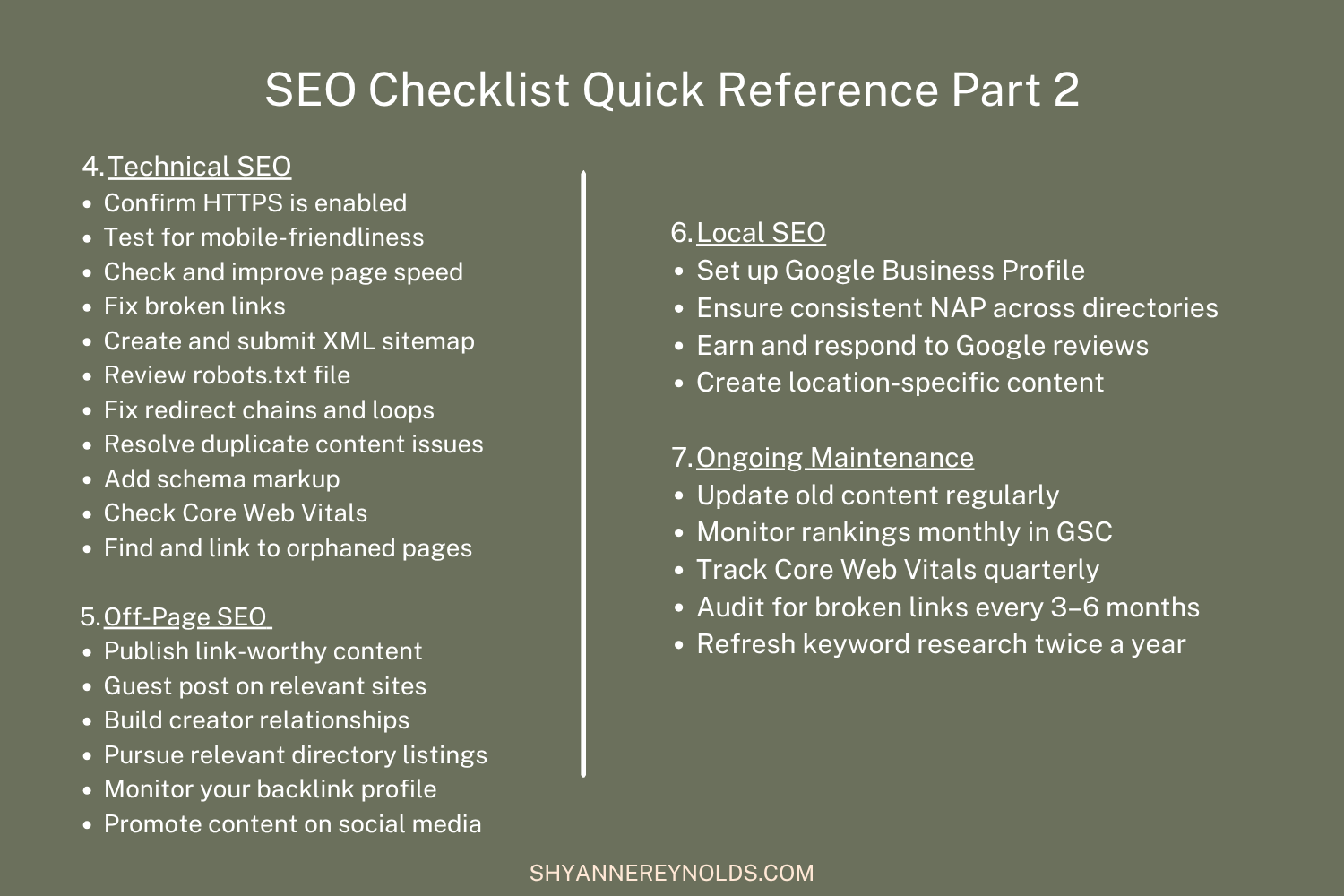
SEO Checklist Quick Reference
Frequently Asked Questions About SEO
-
SEO results vary widely depending on your niche, domain authority, and the competition for your target keywords. Some pages see traction within a few weeks of being indexed; meaningful traffic gains typically take 3-6 months for newer sites. Technical fixes and improvements to well-established pages can show results faster.
-
Unfortunately, there isn't a single magic factor. SEO works as a system. That said, the highest-impact areas are: matching your content to search intent, strong on-page optimization (title tag, headings, content depth), quality backlinks, and technical health (speed, mobile-friendliness, crawlability).
-
Yes. Every piece of content should be intentionally targeting a keyword your audience is searching for. Publishing without keyword research is like opening a store with no sign outside.
-
On-page SEO includes everything you optimize on the page itself: content, headings, meta tags, images, internal links, and technical elements. Off-page SEO includes signals from outside your site, primarily backlinks from other websites.
-
You can absolutely do SEO yourself, especially for a blog or small business website. The fundamentals in this checklist are learnable and actionable without a technical background. As your site grows and competition increases, working with an SEO specialist can accelerate results.
-
Treat on-page optimization as a pre-publish checklist (do it every time). Run technical audits quarterly. Update old content at least once a year. Revisit keyword research twice a year.
Looking for help mastering this SEO checklist? Check out my SEO blog writing offers to see how I can help improve your blog post rankings and take the stress off your plate.
More Helpful Resources

Shyanne is an SEO writer and content writer from the U.S. Since 2019, Shyanne has worked with countless food bloggers, health professionals, and fitness experts to rank on Google and increase website traffic and drive email conversions.
With an English degree, a minor in nutrition, a minor in history, and a concentration in creative writing, Shyanne loves working with entrepreneurs and brands in the health, wellness, and food spaces.
Not only does she offer done-for-you SEO and blog writing, but she also provides done-for-you email strategies and packages for a comprehensive business plan that allows founders and CEOs to take a step back from social media and focus more on what they love, knowing the right people are finding their brand.